Multitasking
Tests whether you can manage priorities and error tolerance while holding several tasks at once.
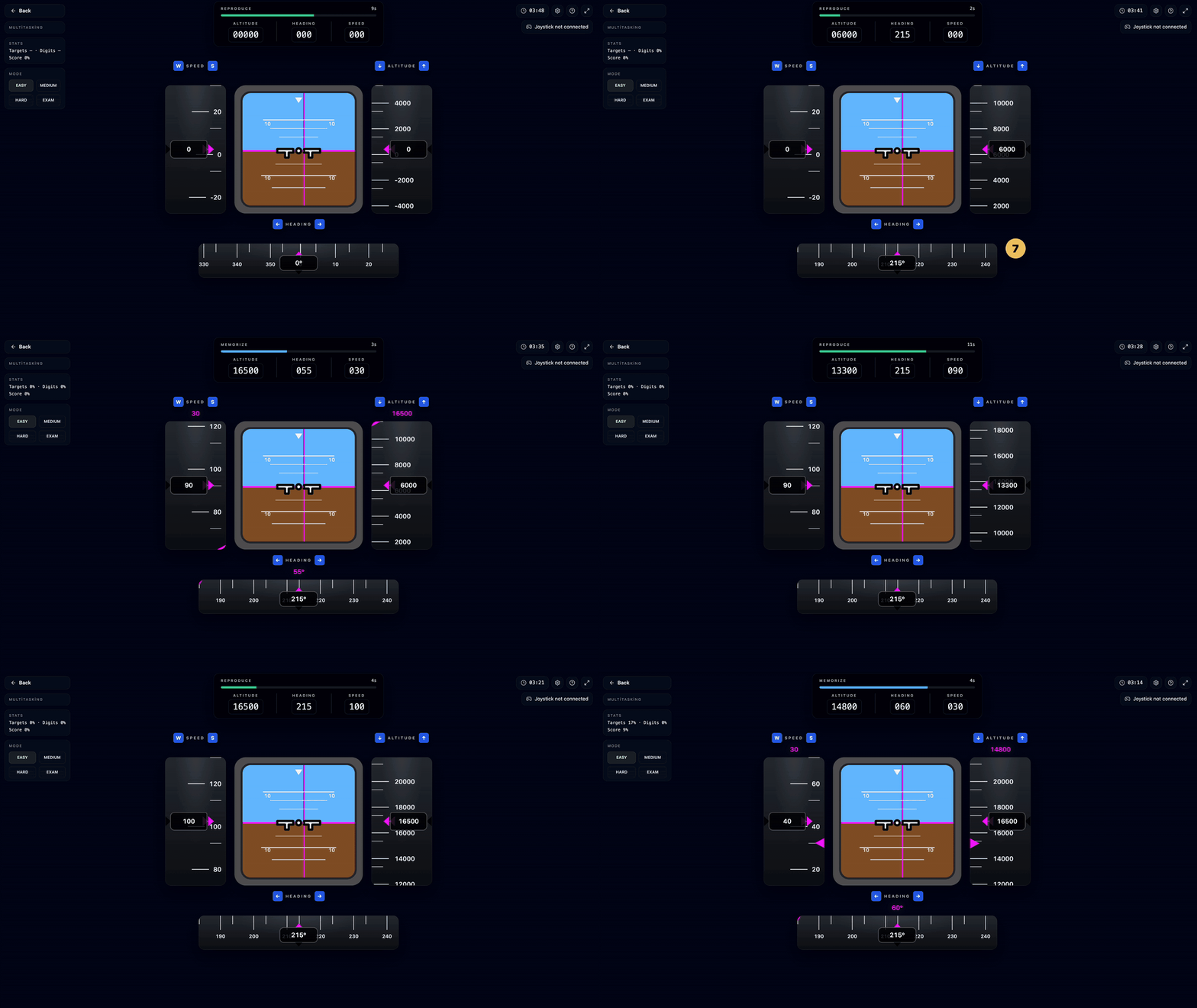
Why recruiters care about it
Multitasking is one of the clearest Compass modules for exposing capacity under load.
The real question is not whether you do everything, but what you protect when the load rises.
Step-by-step simulation flow
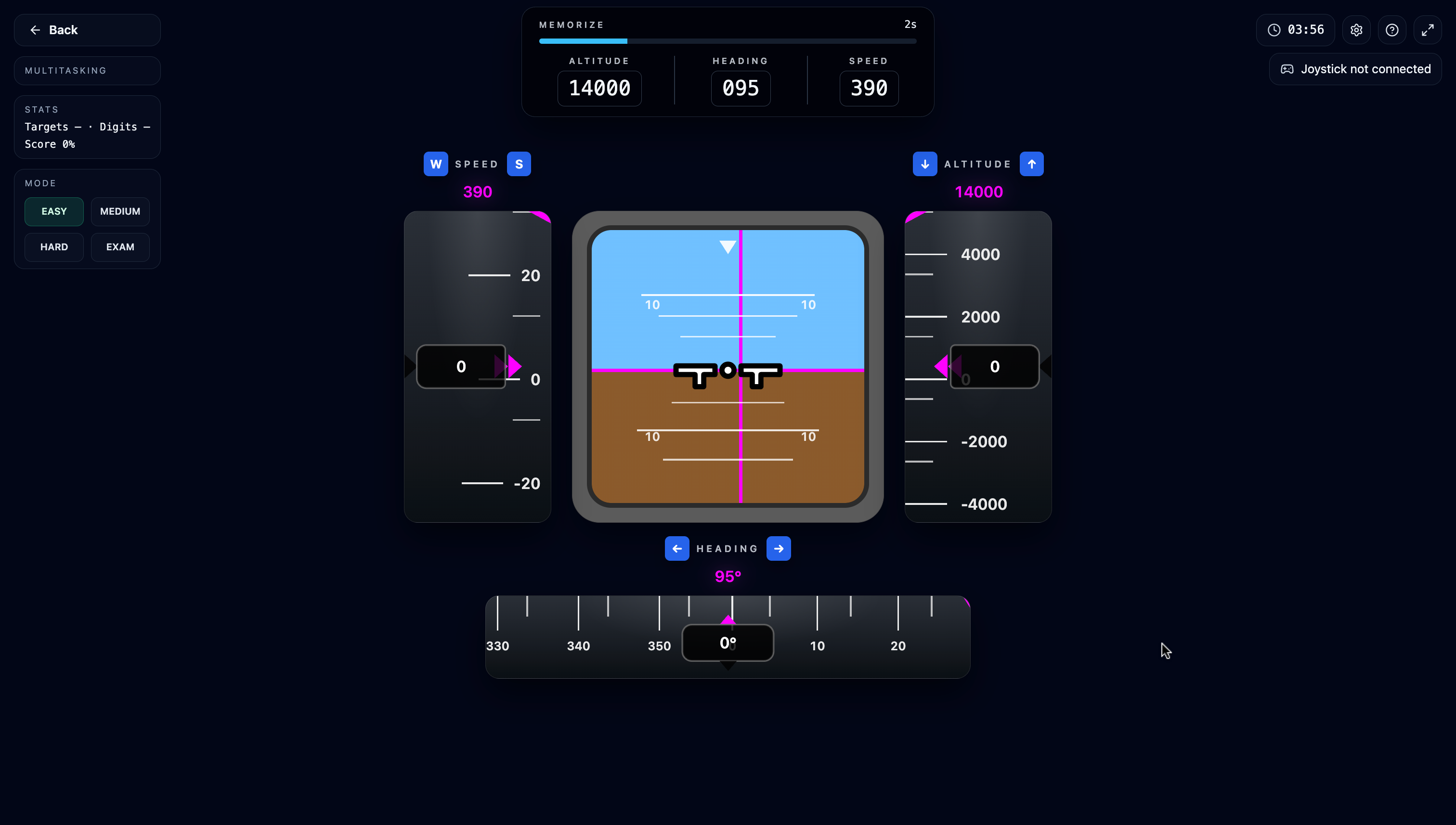
MEMORIZE: memorise the targets
The black strip at the top shows the target Altitude, Heading and Speed for about 5 seconds. The instruments start from zero — the job is to hold those three numbers in memory.
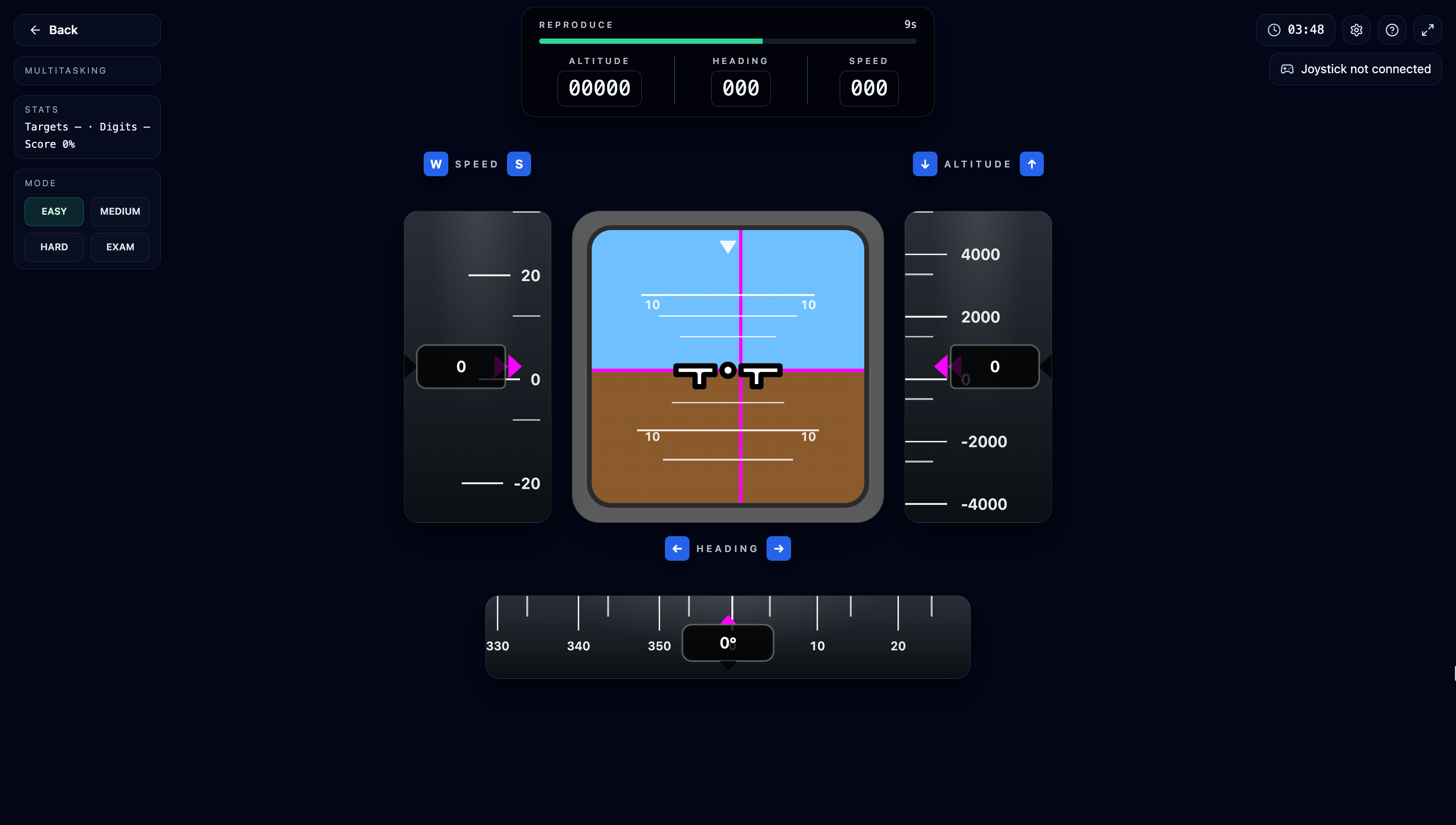
REPRODUCE: dial the instruments to the targets
The targets hide and a ~15-second correction window opens: ↑/↓ steps altitude by 100 ft, ←/→ steps heading by 5°, W/S (or +/−) steps speed by 10 units. When time is up, each field grades green/red — and grading demands an exact match.
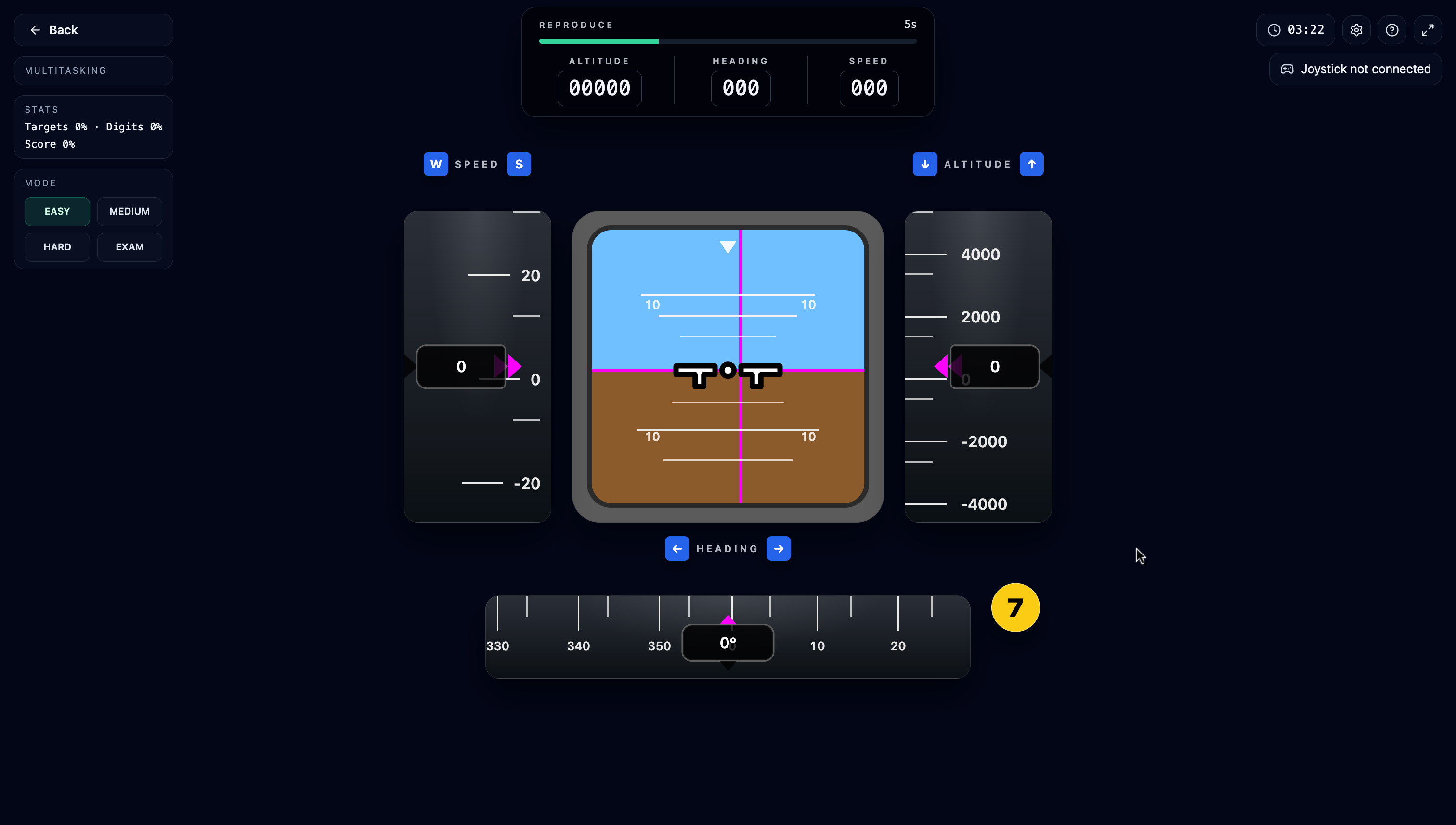
Do not miss the yellow digit badge
Throughout the round, a yellow badge with a digit 0–9 pops up beside the heading tape at random moments and lives about 2 seconds. Press that digit for "Alert Reaction OK"; a wrong key or a timeout shows "Alert Reaction Missed".
Scoring
The score averages two components: target accuracy (exact matches out of rounds × 3 fields) and digit hit rate. A run lasts 4 minutes; Mock Exam hardens in 100-second blocks across 5.
How difficulty scales
Difficulty sets the digit-task tempo: the badge appears every 15–20 seconds on Warm-up and every 7–12 on Advanced. The memorise/adjust windows stay fixed — Advanced simply means running the memory task with far more interruptions.
Because grading demands exact matches, step counting wins: with target 14000 from 0, you track the 100-ft steps deliberately. Average candidates round off the final steps and miss the exact value.