Multitasking Sonic — AON Cut-e sonic
What this test measures
Multitasking Sonic adds an audio-driven demand layer on top of a multitask workload. It measures divided attention, response timing, and how well you protect the main task while processing sound prompts.
This is highly relevant to cockpit workload because pilots must often maintain control while reacting to auditory information, calls, and alerts.
How the simulation works
- 1
Three parallel loops — one of them audio
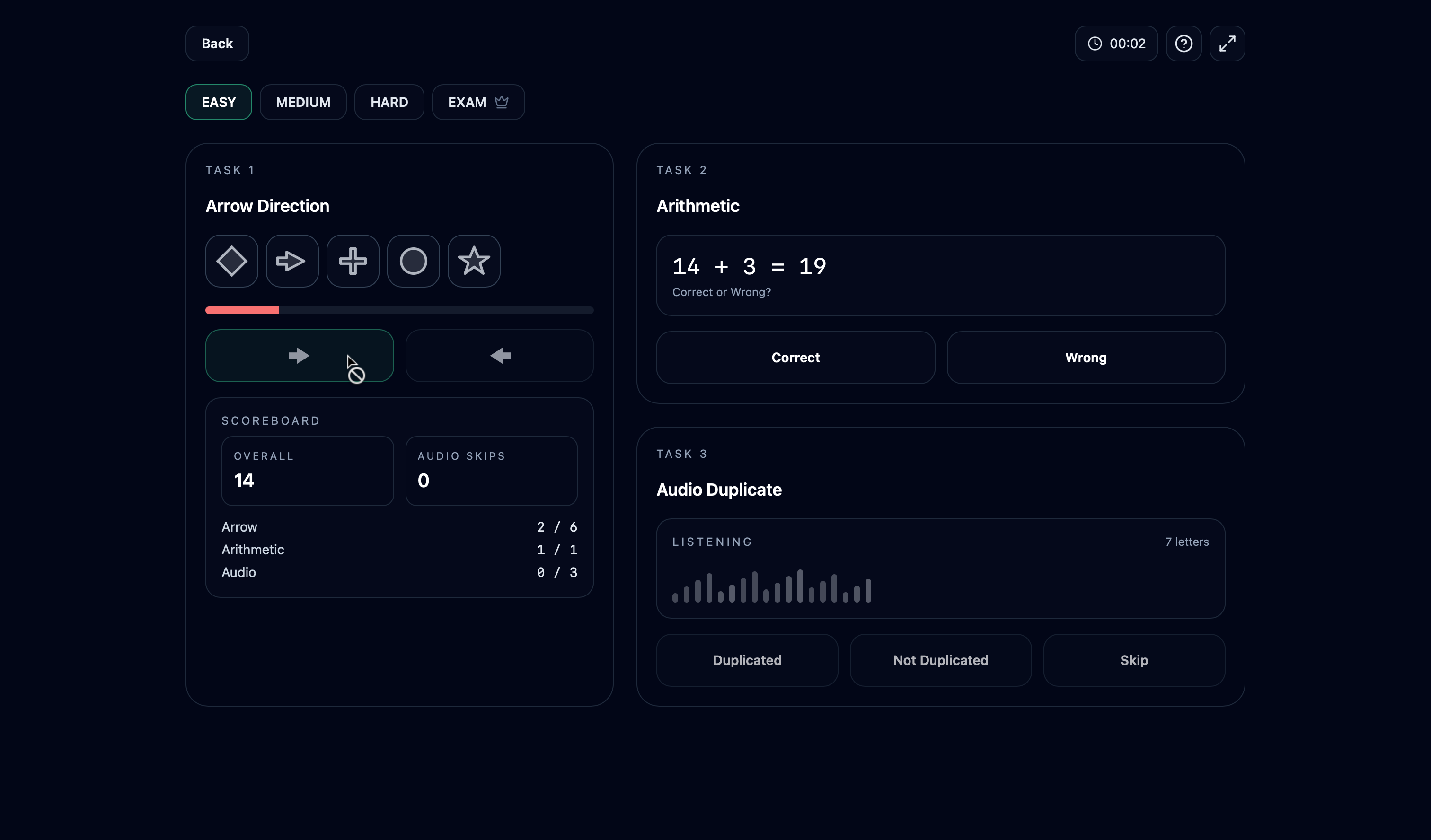
The screen splits into an arrow task, an arithmetic task and an audio task, each on its own cycle. Unlike the falling-obstacles variant, the third channel here is sound: sequences of spoken letters.
- 2
Arrow task: find the arrow among five tiles
Five tiles are shown; four hold plain shapes and exactly one holds an arrow pointing left or right. Press the matching direction button within the 10-second window — the progress bar turns red for the final three seconds, and a timeout counts as wrong.
- 3
Arithmetic: judge the equation
A single operation like "27 + 8 = 36" is shown with a result. Press Correct or Wrong — roughly half are off by a small amount. Higher difficulty adds multiplication and division and larger numbers.
- 4
Audio: catch the duplicated letter
Seven letters are spoken one per second. While they play, the answer buttons are locked; when the last letter ends, a short ~2-second window opens to answer "Duplicated" or "Not Duplicated" — did any letter repeat? Missing the window scores wrong.
- 5
Scoring
Arrow accuracy and audio accuracy are worth 40 points each; arithmetic adds a volume bonus of up to 20 points (one point per correct answer). Mock Exam mode ramps difficulty automatically across the run.
What it looks like
Tips for this test
- Let the audio structure your rhythm: letters play for ~7 seconds, so handle arrows and arithmetic during playback and be ready when the answer window opens.
- Track the letters with a simple running method — repeat each new letter silently and flag a "hit" the moment one sounds familiar.
- The arrow window is generous (10 s) but do not bank it: clear the arrow early, it is the cheapest of the three tasks.
- Arithmetic is a bonus counter, not a percentage — steady correct answers add up, but never at the cost of missing an audio window.
- Use headphones when practising; clean audio separation is half the audio task.
Difficulty breakdown
Difficulty raises the arithmetic operations (up to division), the letter-duplicate probability and the speech rate — while the 10-second arrow window stays constant, tempting you to overspend time there.
The audio channel decides the ranking: average candidates lose letters while solving arithmetic; top scorers timebox the visual tasks to the speech gaps so they are always free when the short answer window opens.